Some incidents need more than the main incident form, for example a witness statement, a collision report or a cardiac arrest record. You can attach these extra forms to an incident in the web dashboard.
How do I attach a form?
- Open the incident.
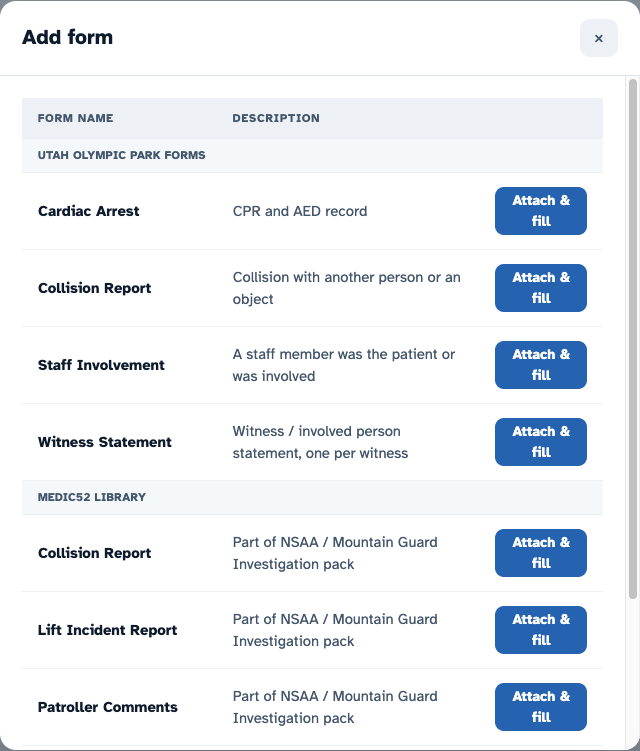
- Select Add form.
- Find the form you need and select Attach & fill.
- The form opens as a new tab on the incident. Fill it in, then select Update to save.
To add a second copy of the same form, for example one witness statement per witness, select Add form again and attach it again.
Which forms are listed?
The Add form window lists two groups:
- Your organisation's forms, headed with your organisation's name. These are forms built for your team. They're listed first.
- Medic52 library: standard forms anyone can use.
You only see your own organisation's forms, never another organisation's.
How do I get a new form for my organisation?
Contact support and tell us what the form needs to record. Send a blank copy of any paper form you use now. Never send a completed form with patient details.